1.0.3
PRODUCTION UPDATE
The latest installer binds the first authorized installation to one Windows TPM 2.0 device and permits up to seven days of offline use between authorization refreshes.
View purchase options DINORUN
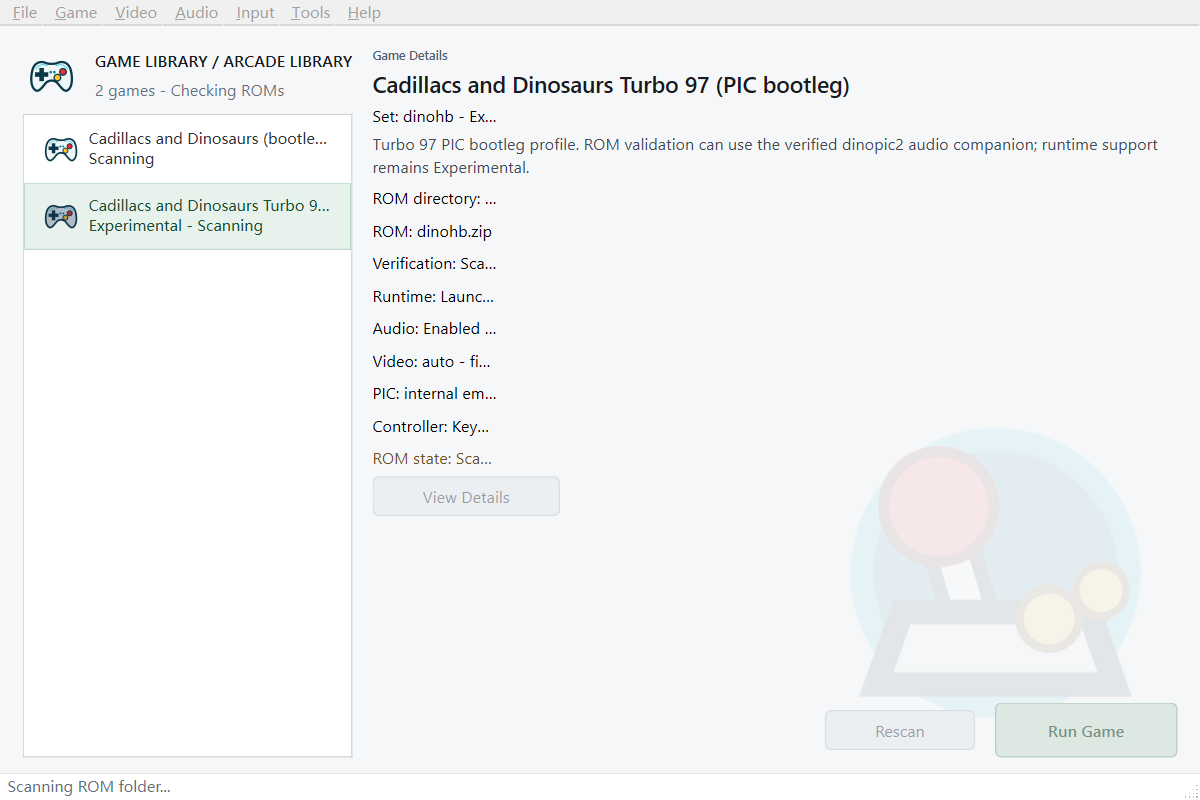
WINDOWS X64 DESKTOP SOFTWARE
A focused arcade runner for DINOPIC2, DINOHB and Punipic profiles.
Launch, configure and play from one clean Windows application. Bring your own legally obtained game data.
LATEST RELEASE
This production update adds TPM 2.0-backed online device authorization while retaining the permanent single-machine license.
PRODUCTION UPDATE
The latest installer binds the first authorized installation to one Windows TPM 2.0 device and permits up to seven days of offline use between authorization refreshes.
View purchase optionsRaw joystick fallback now complements SDL GameController mappings when a device reports incomplete high-level mappings.
Controller events remain available as focus moves between the launcher and the game runtime window.
The release package carries the Qt, TLS, MinGW and SDL dependencies needed on a clean Windows PC.
Dinorun 1.0.3 binds the first authorized installation to one Windows TPM 2.0 device. Existing licenses remain valid and do not require repurchase.
PURPOSE-BUILT
Dinorun brings the essential setup, input and session tools into a compact native Windows application.
Scan compatible ZIPs, verify required files and launch from a straightforward arcade library.
Configure keyboard bindings for Player 1, Player 2, Player 3 and system actions. Controller input is experimental.
Fullscreen switching, scaling choices, filters, scanlines and a CRT-style display preset.
Use quick save/load or ten manual save slots with thumbnails, all from the same session.
Switch between English and Simplified Chinese without restarting your session.
DINOPIC2 and Punipic are supported profiles. DINOHB is included as an experimental profile.
NATIVE WINDOWS UI
INPUT, YOUR WAY
The visual input panel keeps movement, actions, coin and start controls easy to understand. Configure three players plus Service Mode, Soft Reset and Pause.
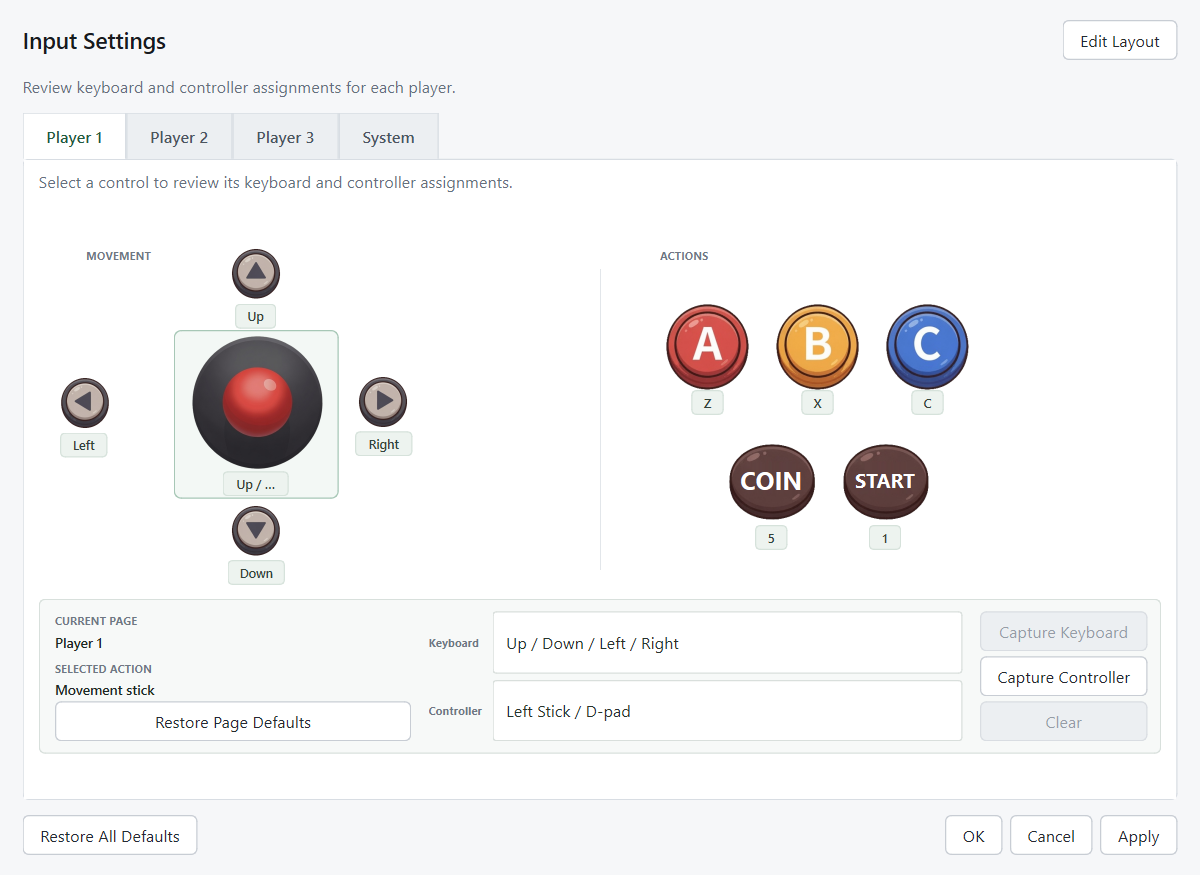
Three players. Three action buttons. One focused desktop experience.
FROM PURCHASE TO PLAY
Receive the Windows installer and your order details.
Open the activation window and copy the request code created for that computer.
Send the request code to the authorized issuer and receive your machine-bound activation code.
Import the activation code, connect for the first TPM 2.0 device authorization, then select your ROM folder and controls.
An internet connection is required for first device authorization and periodic refresh. A valid authorization permits up to seven days offline.
ONE-TIME PURCHASE
A single-machine license for the Windows desktop application.
ONE-TIME PRICE
Secure checkout via Creem. Taxes, if applicable, are calculated at checkout.
Game ROMs and copyrighted game data are not included.
BEFORE YOU BUY
No. Dinorun is emulator software only. You must provide legally obtained, compatible game data.
Dinorun requires a Windows x64 desktop computer with a working TPM 2.0 and internet access for first device authorization and periodic refresh. It is not offered for Android, iOS or macOS.
No. The perpetual license is bound to one computer. A different computer requires a separate activation.
DINOPIC2 and Punipic are supported profiles. DINOHB remains experimental.
The current build is not code-signed, so Windows SmartScreen or antivirus software may warn on first launch. Verify files using the publisher-provided SHA-256 checksums.
No. Dinorun is an independent software project and is not affiliated with, authorized, sponsored or endorsed by Capcom.